
Find the Right Product for You
Full protection for Windows, Mac, Android and iOS.
Compare the Features and Plan of
SiyanoAV Security
SiyanoAV Security safeguards your privacy, protects against viruses, and optimizes system performance with its
comprehensive security features below.
-
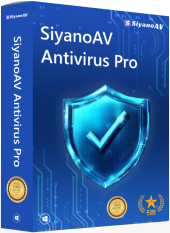
PC Booster
SiyanoAV PC booster helps to identify the junk in your PC for more excellent performance to get the best result at your work.
-
Real-time Scanning SiyanoAV Internet Security offers its advanced real-time scanning feature to scan out all the infected files before the user could access them.
-
File shredder
Shred your files permanently. SiyanoAV helps you to delete all your selected files and makes it impossible for any recovery tool to retrieve it back.
-
Privacy Firewall SiyanoAV Total Security works on every local and internet network just like a real-time security guard.
-
Software Update Stay up-to-date with regular updates delivered via the internet. Updates can also be distributed through a remote update server when available
-
Browser Safety Browser safety is the safety layer of protection that works proactively during your internet surfing

-
PC Booster SiyanoAV PC booster helps to identify the junk in your PC for more excellent performance to get the best result at your work.
-
Real-time Scanning SiyanoAV Internet Security offers its advanced real-time scanning feature to scan out all the infected files before the user could access them.
-
File shredder Shred your files permanently. SiyanoAV helps you to delete all your selected files and makes it impossible for any recovery tool to retrieve it back.
-
Privacy Firewall SiyanoAV Total Security works on every local and internet network just like a real-time security guard.
-
Software Update Stay up-to-date with regular updates delivered via the internet. Updates can also be distributed through a remote update server when available
-
Browser Safety Browser safety is the safety layer of protection that works proactively during your internet surfing
-
Password Manager Password manager keeps your passwords in an encrypted database and manages your online credentials to support your Secure Digital Life.
-
Dark Web Scanning Dark Web Scanning proactively searches hidden parts of the internet for compromised data, helping to identify threats early. Protect sensitive information by detecting breaches before they become critical.
-
Folder Locker Protect your private files with encrypted folder locking.
-
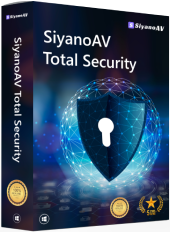
PC Booster SiyanoAV PC booster helps to identify the junk in your PC for more excellent performance to get the best result at your work.
-
Real-time Scanning SiyanoAV Internet Security offers its advanced real-time scanning feature to scan out all the infected files before the user could access them.
-
File shredder Shred your files permanently. SiyanoAV helps you to delete all your selected files and makes it impossible for any recovery tool to retrieve it back.
-
Privacy Firewall SiyanoAV Total Security works on every local and internet network just like a real-time security guard.
-
Software Update Stay up-to-date with regular updates delivered via the internet. Updates can also be distributed through a remote update server when available
-
Browser Safety Browser safety is the safety layer of protection that works proactively during your internet surfing
-
Password Manager Password manager keeps your passwords in an encrypted database and manages your online credentials to support your Secure Digital Life.
-
Dark Web Scanning Dark Web Scanning proactively searches hidden parts of the internet for compromised data, helping to identify threats early. Protect sensitive information by detecting breaches before they become critical.
-
Folder Locker Protect your private files with encrypted folder locking.
-
Webcam Protection SiyanoAV Total Security helps you to secure your privacy and protects you from unauthorized access to take control of your webcam.
-
Parental Control The online presence of children has gradually increased and so are the posing threats.
-
Vulnerability Access SiyanoAV Total Security scans your device and your entire system to look for spots and susceptibilities with a few clicks.
-
Advance Threat Shield SiyanoAV advanced defensive HIPS technology closely watches for malicious activities in your software application & immediately performs its duty.
-
SiyanoAV Drive (20 GB Cloud Backup) Securely store and share your priceless memories and important documents with SiyanoAV cloud storage, where your files are protected and always accessible.
-
Wi-Fi Scanner Analyze your network for intruders and weak spots.
-
Uninstaller Fully remove unwanted applications and free up space.
Guides, FAQs & Offer Information
Everything you need to install, understand, and make the most of your purchase — all in one place.
Commonly Asked Questions (FAQs)
How to install
Get protected right away by following these 3 easy steps:
2. Open the file
Open the downloaded file and approve the installation.
3. Install the file
Run the installer and follow the simple instructions.
Important Terms and Offer Details
Technical Specifications
Software Details: Release Date – October, 2024.
System Requirements
Operating System: Windows 7, 8, 8.1, 10, 11
Processor: 1 GHz or faster
Disk Space: 1.5 GB
RAM: 1 GB for 32-bit or 2 GB for 64-bit
Screen Resolution: 1366 x 768.
Important Subscription, Pricing and Offer Details
Your subscription begins when your purchase is completed (or otherwise, when your payment is received). You must download and install on each device, or complete enrollment to get the software. Special offer(s) may expire at any time at SiyanoAV's discretion.
By subscribing, you are purchasing a recurring subscription which will automatically renew. It is not applicable for One Time purchase plan.
The price quoted today is valid for the offered introductory term. After that, your subscription will be billed at the applicable monthly or annual renewal price for which you signed up. The price is subject to change, but we will always send you a notification email in advance.
You can cancel your subscription here, or by contacting Customer Services & Support at [email protected]. For more details, please visit the Refund Policy.
Your subscription may include product, service and/or software updates and features that may be added, modified or removed subject to the acceptance of the License and Services Agreement.
The number of supported devices allowed under your plan are primarily for personal or household use only. Not for commercial use. If you have issues adding a device, please contact Customer Services & Support.